
Download & Install
Metaforce desktop applications are distributed directly via official GitHub Releases. Choose your operating system below to download the latest setup installer, or visit the releases repository to download specific versions on demand:
Official GitHub Releases
📦 All Versions & Release Assets:
https://github.com/Metaforce-Awesome/releases/releases
You can always browse full release notes, download historical versions, or pick specific build targets directly from the official repository.
macOS
- Download Link: Metaforce-arm64-mac.dmg
- Supported Architecture: Apple Silicon (M1, M2, M3, M4 series)
- Installation: Download the
.dmgpackage, open it, and dragMetaforce.appto yourApplicationsfolder.
macOS Unidentified Developer Notice
If macOS displays "Metaforce cannot be opened because it is from an unidentified developer", simply right-click (or Control-click) Metaforce.app in Finder, select Open, and click Open in the confirmation prompt.
Windows
- Download & Installation Guide: Download Metaforce for Windows
- Direct Installer: Metaforce-x64-win.exe
- Supported System: Windows 10 / Windows 11 (64-bit)
- Installation: Download the
.exesetup package and follow the installation wizard.
Windows Security & SmartScreen Notice
The Windows installer is currently not code-signed. Microsoft Edge or Windows may show an unrecognized-app warning. Check that you downloaded Metaforce from our official GitHub release source before deciding whether to continue. On a company-managed computer, ask your IT administrator to review the installer.
Step 1: Microsoft Edge Uncommon-Download Warning
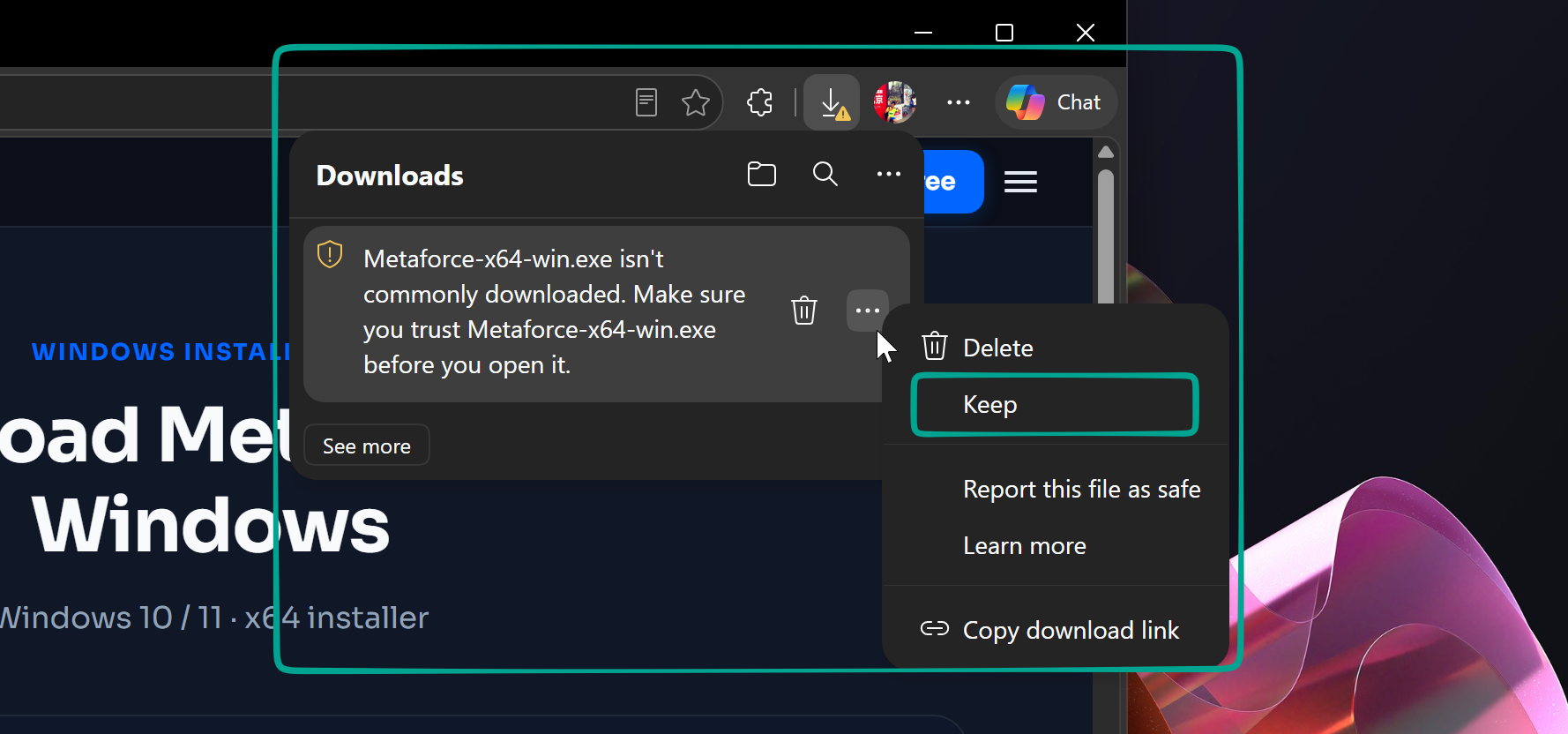
When downloading Metaforce-x64-win.exe, Microsoft Edge might display "Metaforce-x64-win.exe isn't commonly downloaded". For this reputation warning, if you trust the source and choose to continue:
- Open the downloads list and click the
...(options) button beside the installer. - Select Keep (保留).
- If prompted, click Show more (展开更多) and choose Keep anyway (仍要保留).
Wording varies by Edge version and language. These instructions do not apply to Chrome. If the warning identifies malware or a virus, do not continue.
Step 2: Windows SmartScreen ("Windows protected your PC")
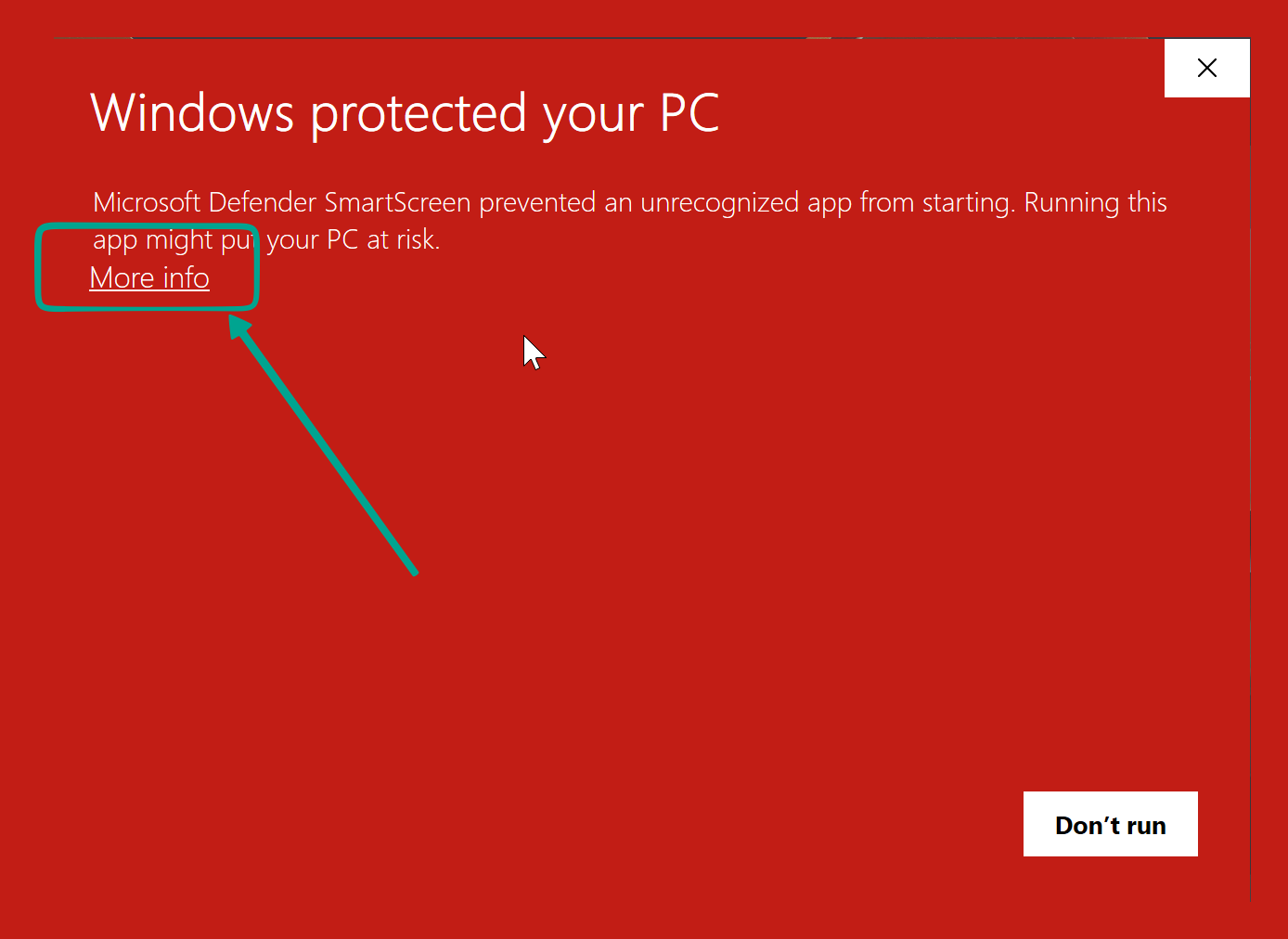
When you launch the downloaded .exe installer, Microsoft Defender SmartScreen may present a blue modal stating:
"Windows protected your PC — Microsoft Defender SmartScreen prevented an unrecognized app from starting."
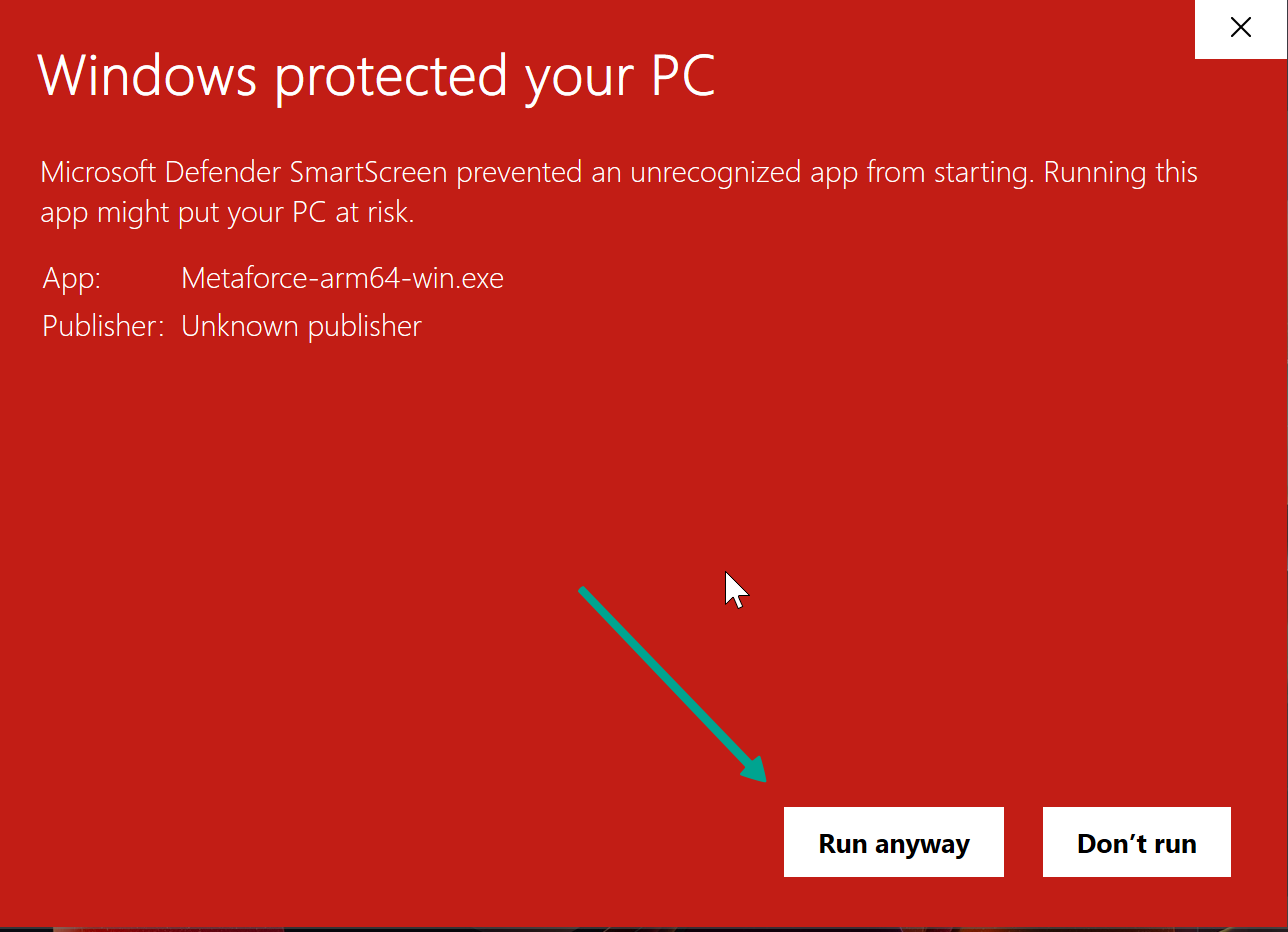
An unsigned installer may show Unknown publisher. If you trust the source and choose to continue:
- Click the underlined link "More info" (更多信息) directly below the description text.
- Check that the filename is Metaforce-x64-win.exe and that you downloaded it from our official release source.
- If "Run anyway" (仍要运行) is available, select it to start the Metaforce setup wizard.
If You Cannot Continue
If Run anyway is missing, the download cannot be kept, or you see a malware warning, stop and contact your IT administrator or Metaforce support.
Smart App Control, antivirus detections, and company security policies are different from an unrecognized-app prompt. Do not disable security features, add antivirus exclusions, or bypass your organization's policies to install Metaforce.
All Releases & Direct Downloads
If you need a specific previous build, want to check release changelogs, or prefer to download assets directly:
👉 https://github.com/Metaforce-Awesome/releases/releases
Check the selected release for its notes and available installation packages.