
Deployments
Metaforce Deployment helps you to perform a quick deployment from a source org A to a target org B.
Start a deployment
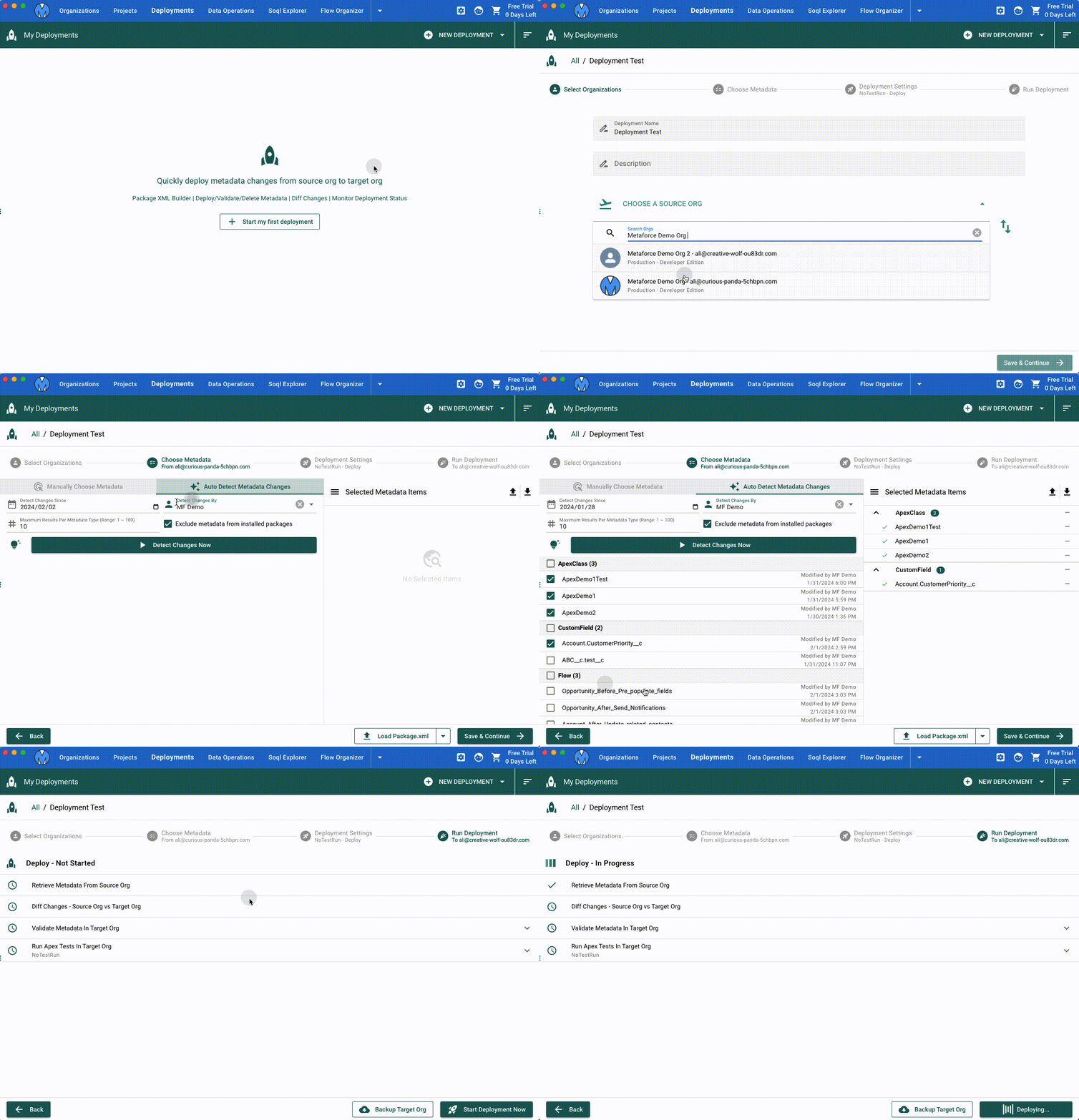
Quickly deploy in 4 steps
- Choose a source org and a target org.
- Choose your changes via package xml builder.
- Set deployment options
Preview the package xml filewhich includes all metadata you selected in the previous step.- Set deployment test level.
- Toggle the checkbox of diff changes.
- Set deployment type: validate only, deploy, destructive.
- Start the deployment, Monitor Status, View deployment results.
Package XML Builder
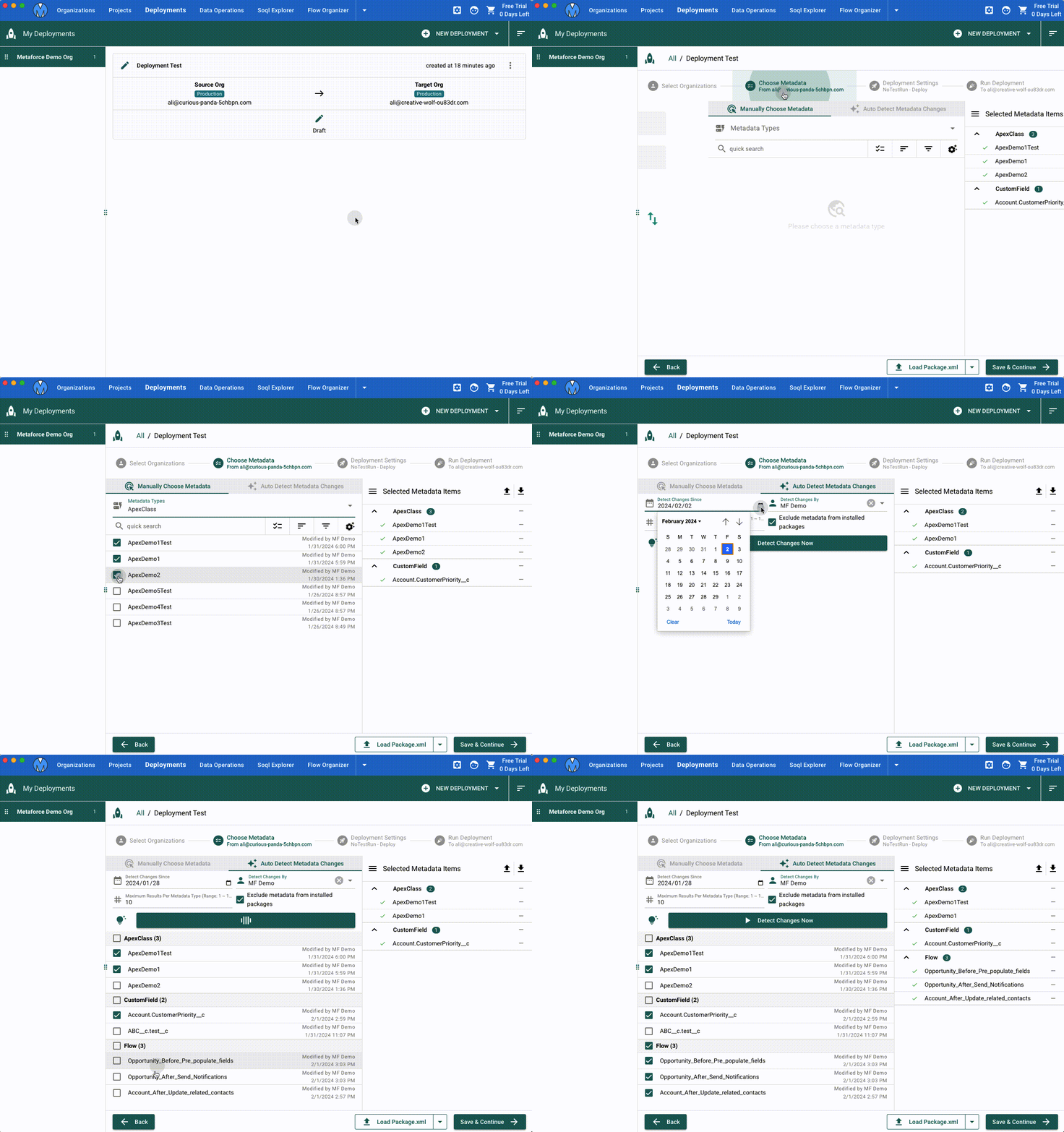
Package XML builder provides 2 ways to find your metadata changes for the deployment.
Manually Choose Metadata
In this way, Metaforce canlist all recently-updated metadata components (ordered by latest modified date by default). You can easily find your changes and select them for the deployment.Auto Detect Metadata Changes
In this way, Metaforce search all metadata types automatically andlist all metadata components which were modified by the specified user, on/after the specified date.
Diff Metadata Changes
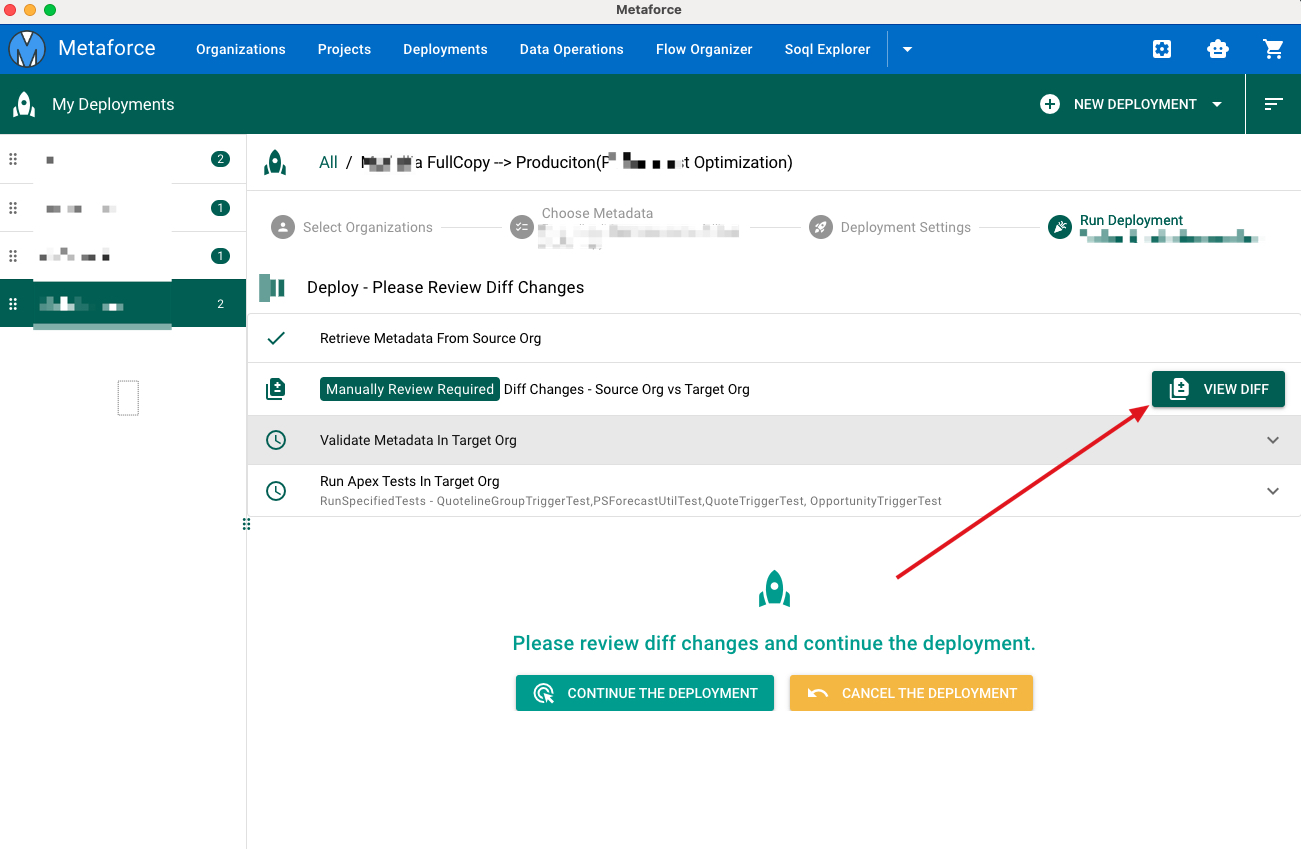
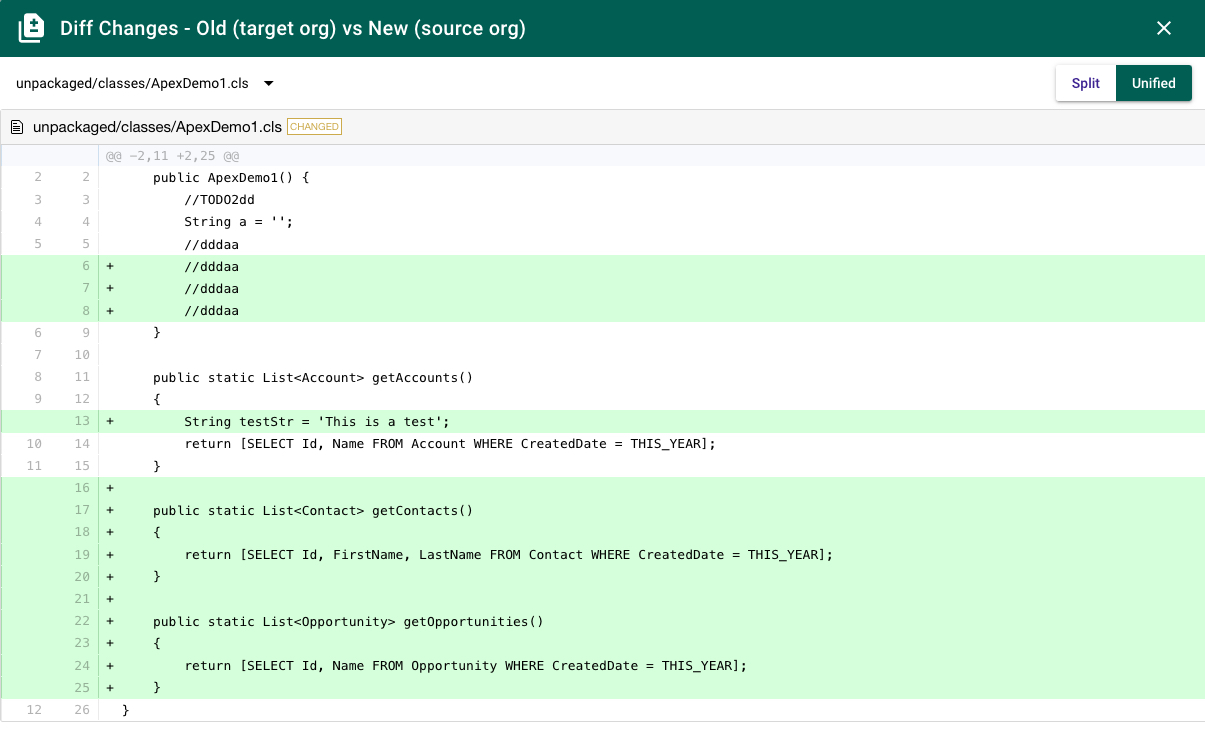
Before deploying selected metadata items into production directly, the Diff Changes option helps you to easily compare all selected components between the source org and the target org.
- Once the "Diff View" option is checked, you have to review all diff changes and continue the deployment by clicking
Continue The Deploymentbutton. - If there are any unexpected changes, you can click the
Cancel The Deploymentbutton to avoid data override.
Set Deployment Test Level
Default- When deploying to production, all tests, except those that originate from managed packages, are executed if your deployment package contains Apex classes or triggers. If your package doesn’t contain Apex components, no tests are run by default.NoTestRun- This test level applies only to deployments to development environments, such as sandbox, Developer Edition, or trial organizations. This test level is the default for development environments.RunSpecifiedTests- Only the tests that you specify in the runTests option are run. Code coverage requirements differ from the default coverage requirements when using this test level. Each class and trigger in the deployment package must be covered by the executed tests for a minimum of 75% code coverage. This coverage is computed for each class and triggers individually and is different than the overall coverage percentage.RunLocalTests- All tests in your org are run, except the ones that originate from installed managed and unlocked packages. This test level is the default for production deployments that include Apex classes or triggers.RunAllTestsInOrg- All tests are run. The tests include all tests in your org, including tests of managed packages.
Set Deployment Action Type
There are 3 deployment action types
Validation- Validate all selected metadata components only in the target org, instead of deploying them.Deploy- Deploy all selected components into the target org.Destructive- Delete all selected components from the target org.
Retrieve Metadata Zip File
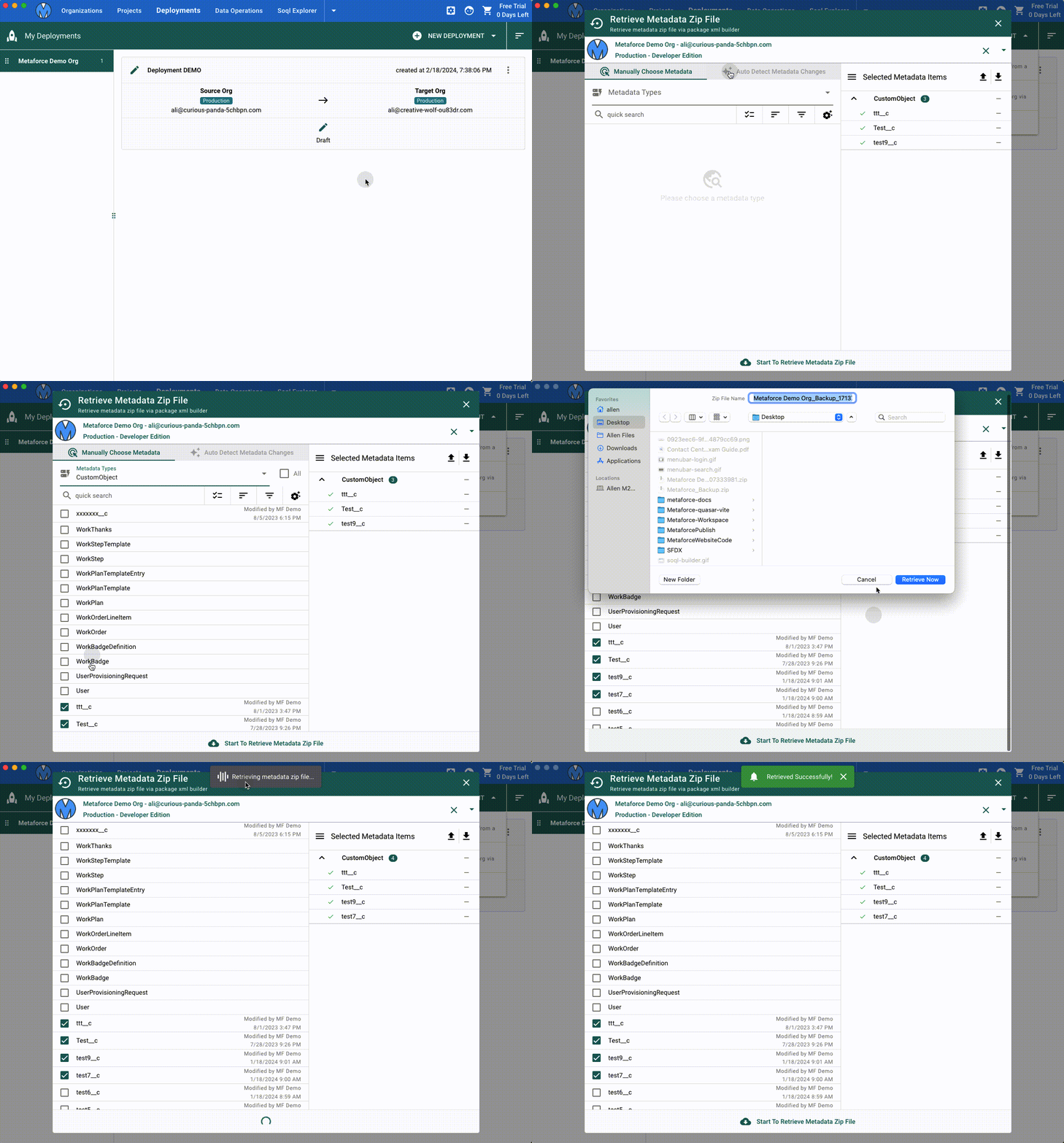
Metaforce can easily retrieve your selected metadata components as a zip file for backup or other purpose.
Deploy Metadata Zip File
Metaforce can easily deploy a metadata zip file into your selected org. After choosing the zip file, you can preview all metadata files in the zip and compare to target org directly before the deployment. 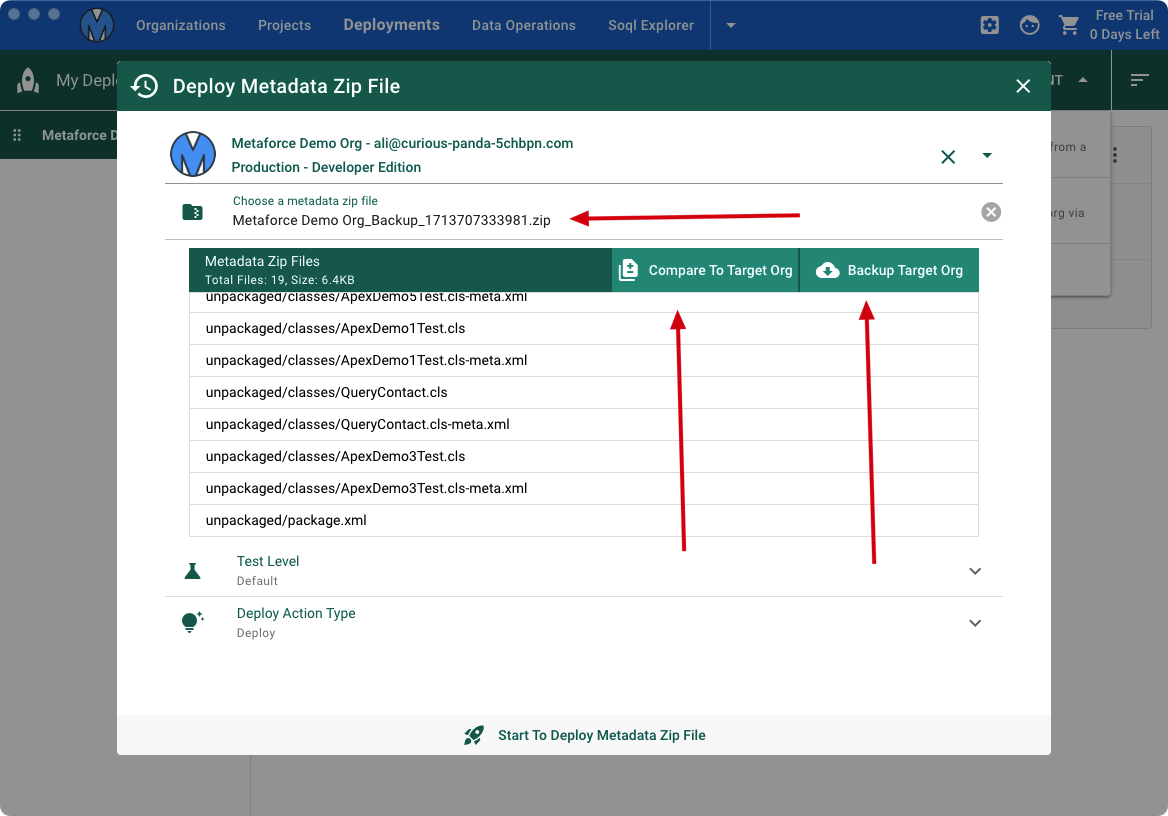
Compare To Target Org
This feature will help you to review all zip files changes which will be deployed into the target org. This is important to avoid unexpected overrides in your target org.
Backup Target Org
Based on the package xml in your selected metadata zip file, you can use this feature to backup all related metadata files from the target org.