
Permission Explorer
Metaforce Permission Explorer provides a comprehensive visual console for analyzing, comparing, and managing Salesforce user access. Decode complex permission assignments, compare profiles and permission sets in a side-by-side matrix, and update permissions directly back to Salesforce.
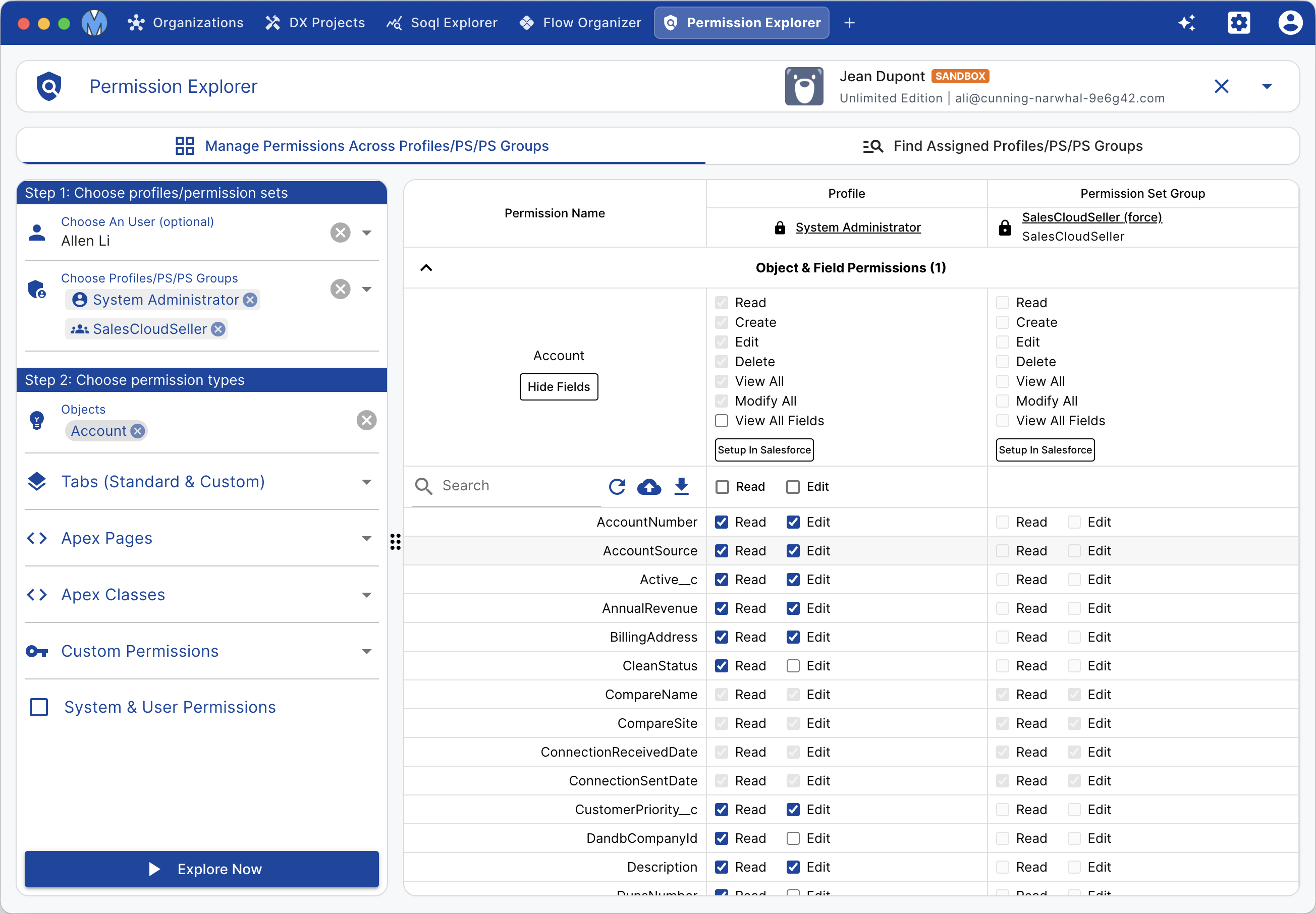
Core Analysis Modes
1. User Effective Permission Mode
Wondering why a user can or cannot edit a specific field or access an object?
- Select a specific user in your Salesforce organization.
- Metaforce aggregates all permissions granted through the user's User Profile, assigned Permission Sets, and Permission Set Groups.
- See the exact effective permission state and identify the source permission set granting each privilege.
2. Multi-Profile & Permission Set Comparison Matrix
- Select multiple profiles, permission sets, or permission set groups to compare side-by-side.
- Identify permission discrepancies and security gaps immediately with difference highlighting.
- Filter by object, field, or permission category to drill down quickly into security configurations.
Supported Permission Types
Permission Explorer supports all key Salesforce access dimensions:
| Category | Controllable Permissions |
|---|---|
| Object Permissions | Read, Create, Edit, Delete, View All Records, Modify All Records |
| Field-Level Security (FLS) | Read Access, Edit Access across all standard and custom fields |
| User & System Permissions | Administrative and general user permissions (e.g. Modify All Data, View Setup, API Enabled) |
| Apex Class Access | Security permissions controlling which Apex classes can be executed |
| Visualforce Page Access | Page-level authorization for classic and hybrid Visualforce interfaces |
| Custom Permissions | Granular custom permissions used in validation rules, formulas, and apex logic |
Direct Editing & Batch Updates
Permission Explorer is not just an inspection tool — it is a full security management console:
- Double-click or toggle any checkbox directly in the comparison matrix table.
- Modified cells are highlighted with clear visual indicators to show pending changes.
- Review your changes in the pending updates drawer.
- Click Save Permissions to apply updates to Salesforce in real-time via the Tooling API.