Deployments
Metaforce Deployments provides an intuitive, step-by-step wizard to deploy metadata changes between Salesforce organizations (e.g., from Sandbox to Production or between Developer Sandboxes) without managing complex ANT scripts or bulky change sets.
4-Step Guided Deployment Workflow
Step 1: Select Environments
Choose your Source Org and Target Org from your connected organizations.
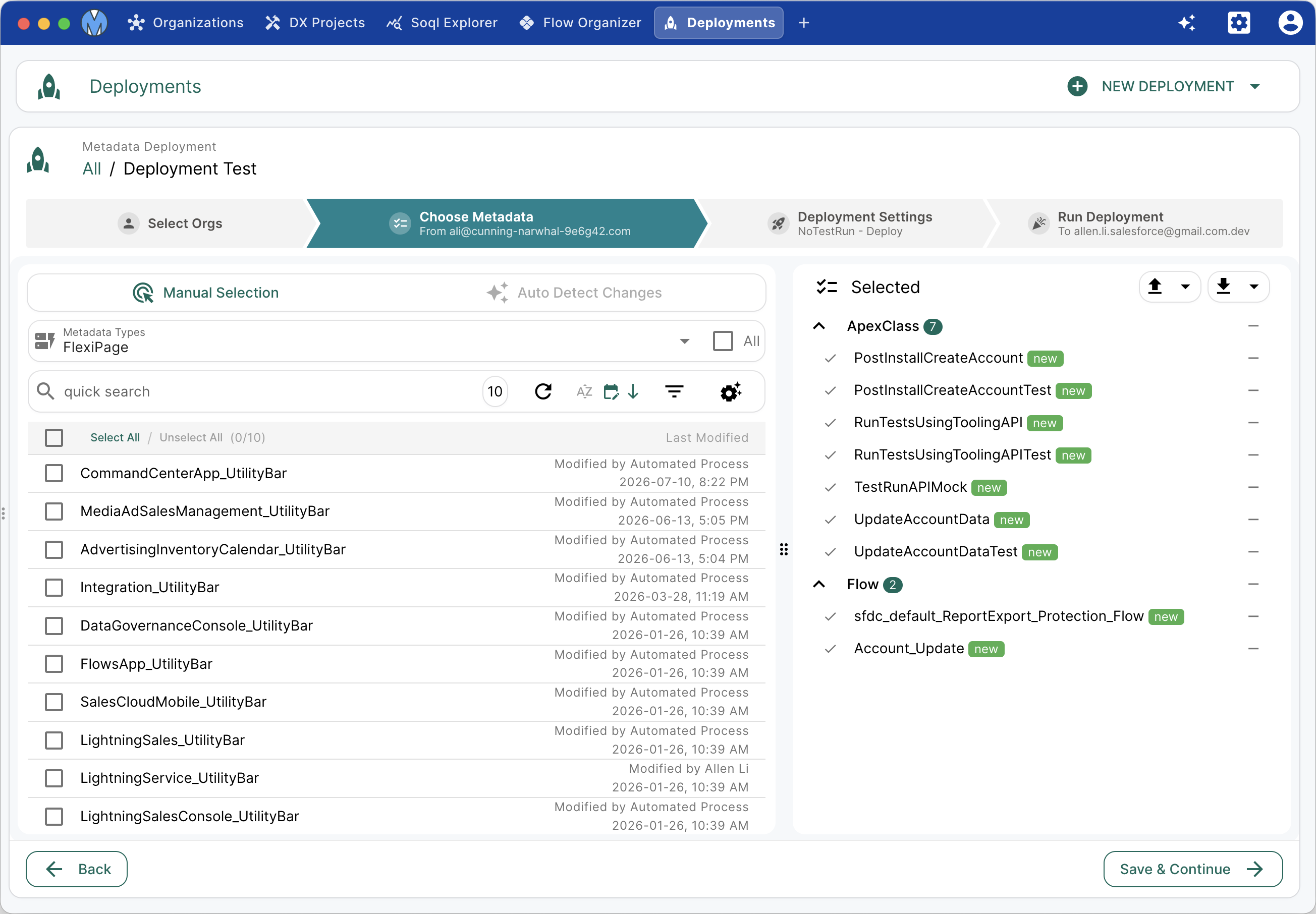
Step 2: Select Metadata Components
Leverage the built-in Package XML Builder:
- Manual Component Selection: Browse 100+ metadata types sorted by last modified date and select components to package.
- Auto-Detect Changes: Specify a developer username and date threshold to automatically pull in all recently touched metadata.
Step 3: Configure Deployment Options
Fine-tune deployment safety controls before execution:
- Action Type:
Validation Only: Performs a dry-run validation against the target org to ensure zero errors without committing changes.Deploy: Validates and commits metadata changes into the target org.Destructive: Removes selected metadata components from the target org.
- Test Level:
Default: Follows Salesforce standard default behavior.NoTestRun: No Apex tests are executed (applicable only to development sandboxes).RunSpecifiedTests: Runs only user-selected test classes. Minimum 75% coverage required on deployed classes.RunLocalTests: Runs all local org tests except installed managed packages (standard for Production).RunAllTestsInOrg: Runs all tests in the org including managed packages.
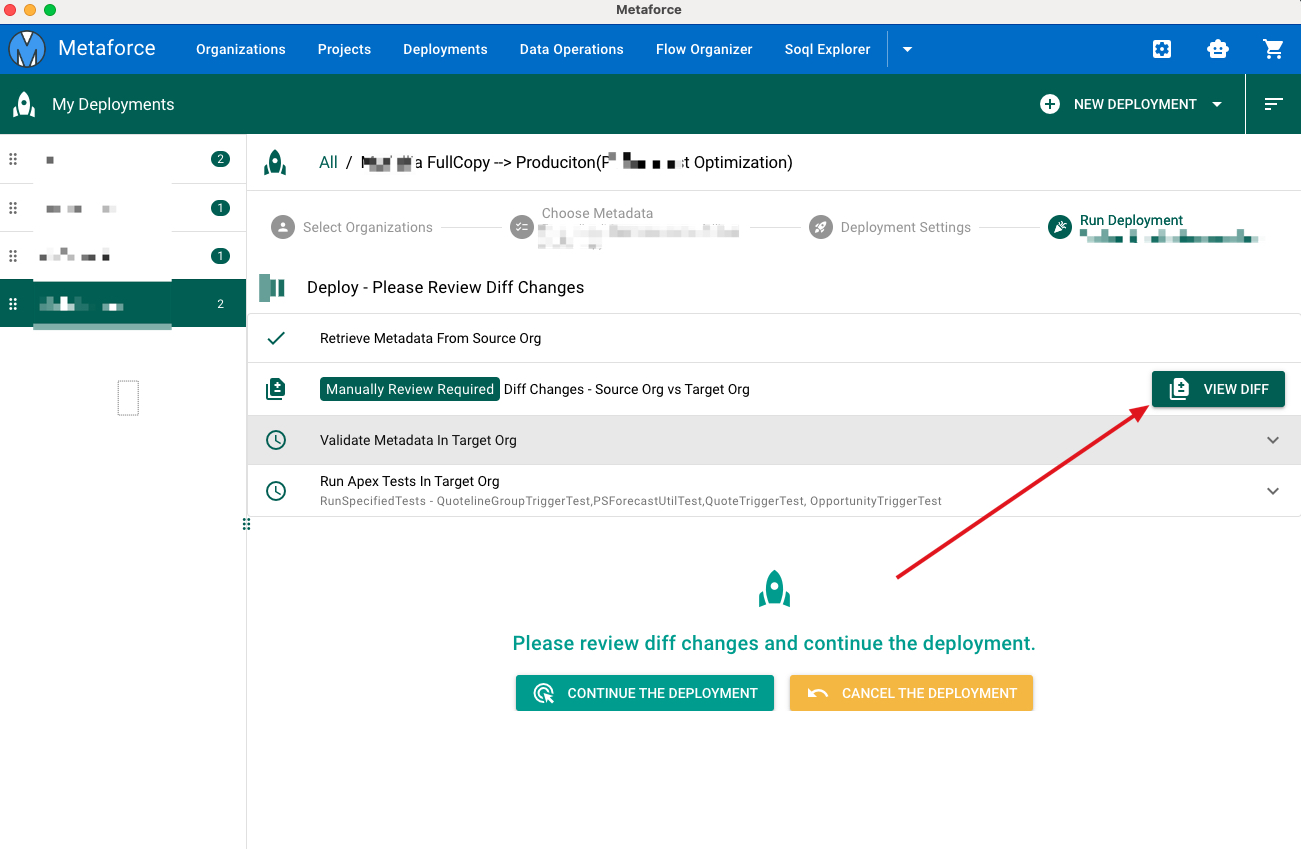
- Diff Changes Review: When enabled, Metaforce loads a side-by-side comparison between your source package and the target org before pushing changes, preventing accidental overwrites.
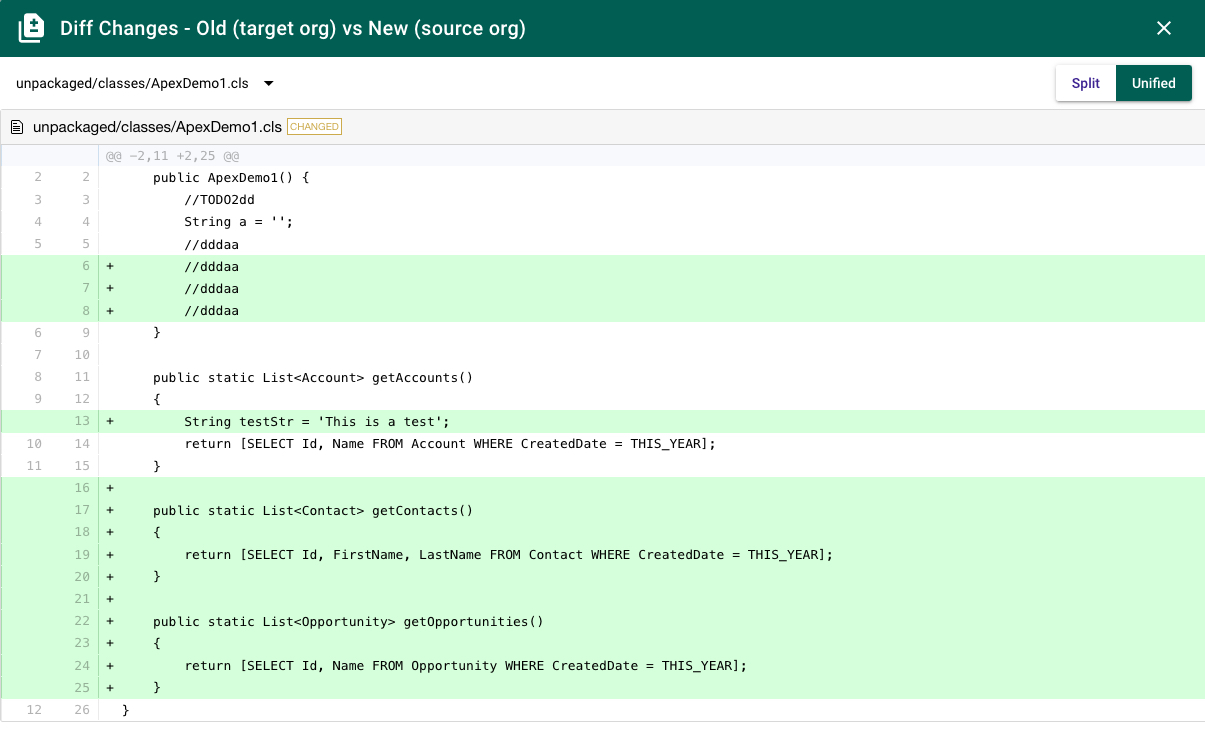
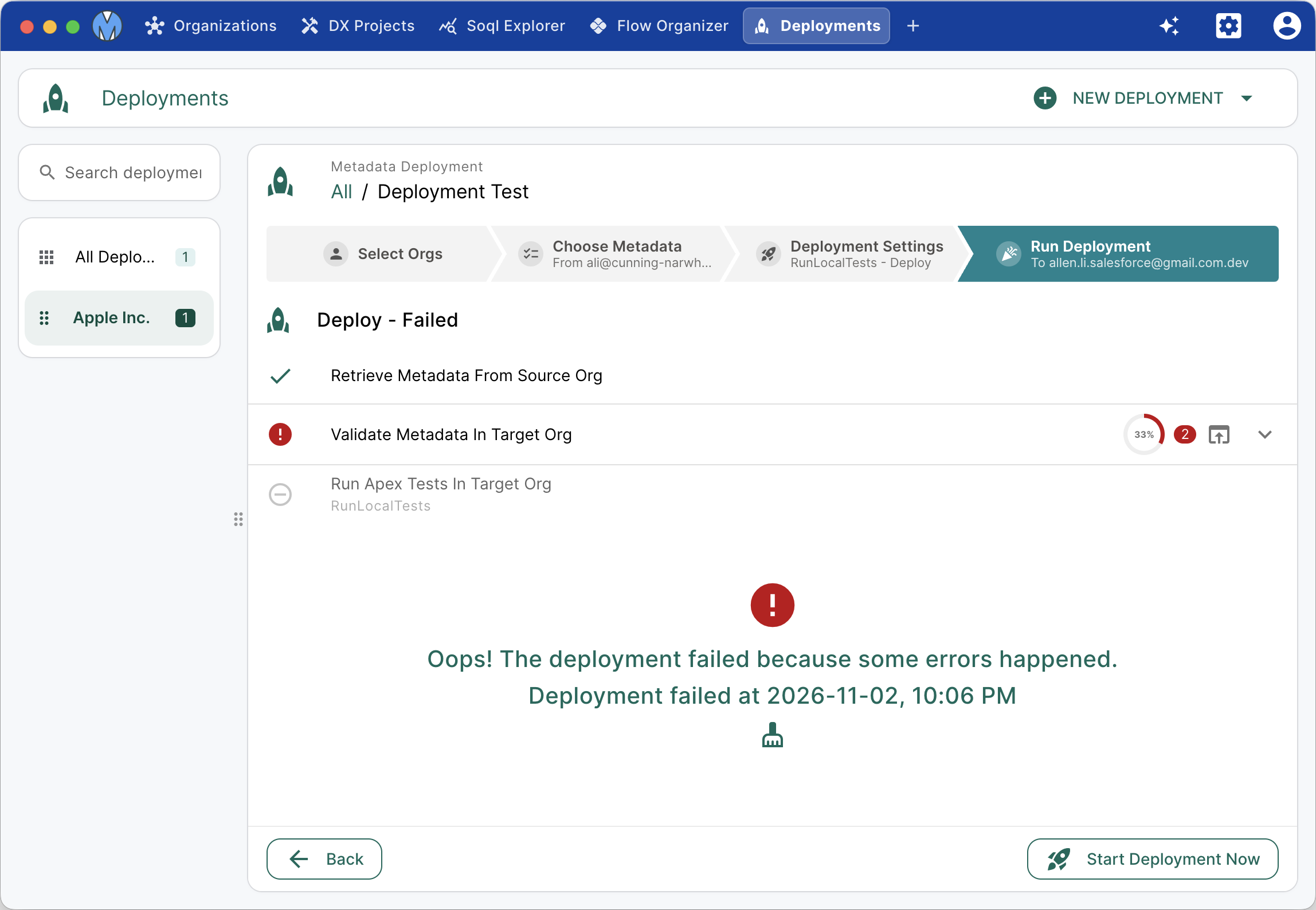
Step 4: Execute & Monitor
Click Start Deployment Now. Metaforce streams real-time deployment status, component-by-component progress, and detailed error messages if deployment validation fails.
Metadata Zip Package Deployment & Retrieval
Metaforce also supports working directly with standard .zip metadata bundles:
1. Retrieve Metadata Zip File
Select components in the manifest builder and click Retrieve Zip. Metaforce downloads a self-contained metadata archive suitable for offline backups, CI/CD pipelines, or git versioning.
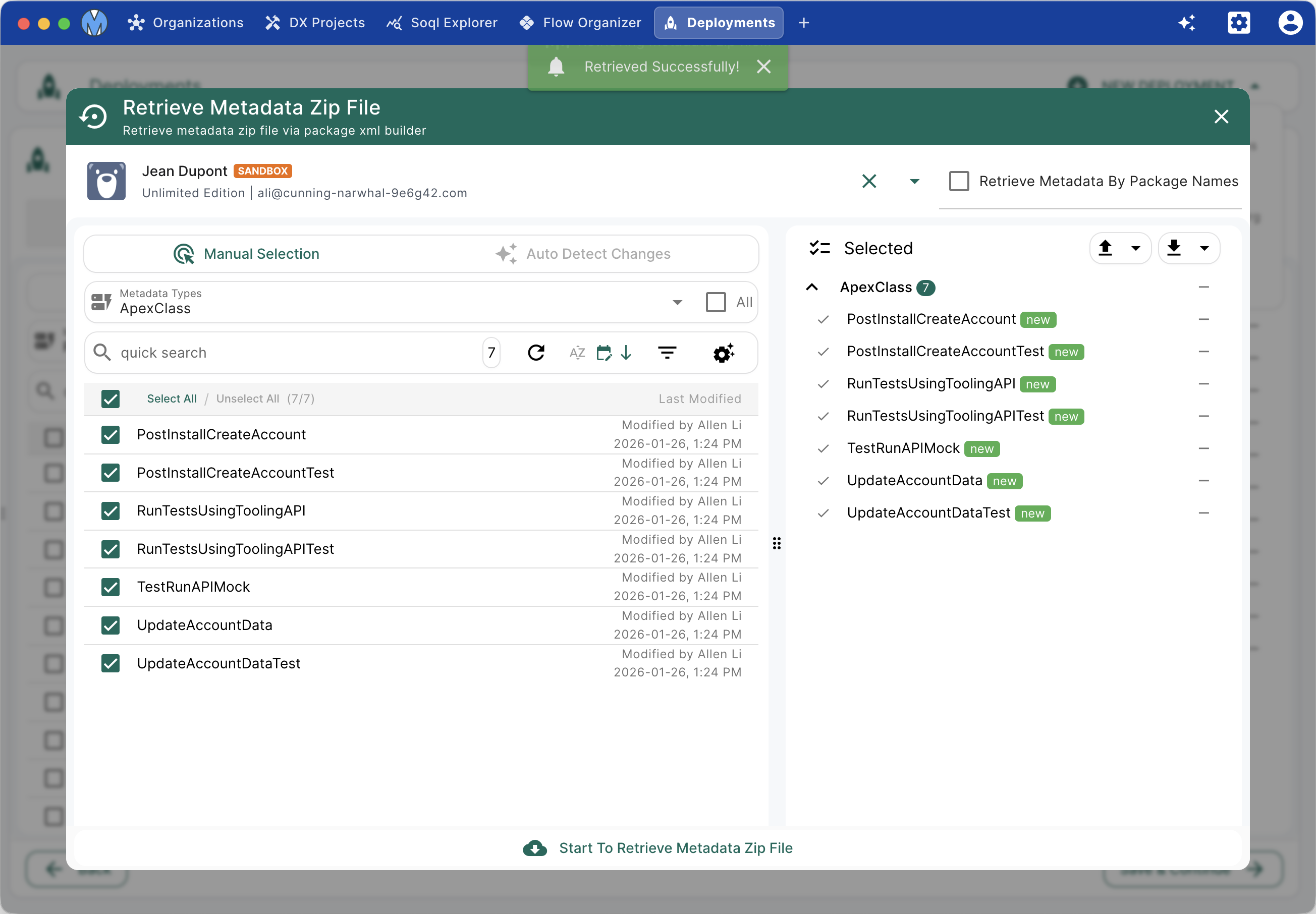
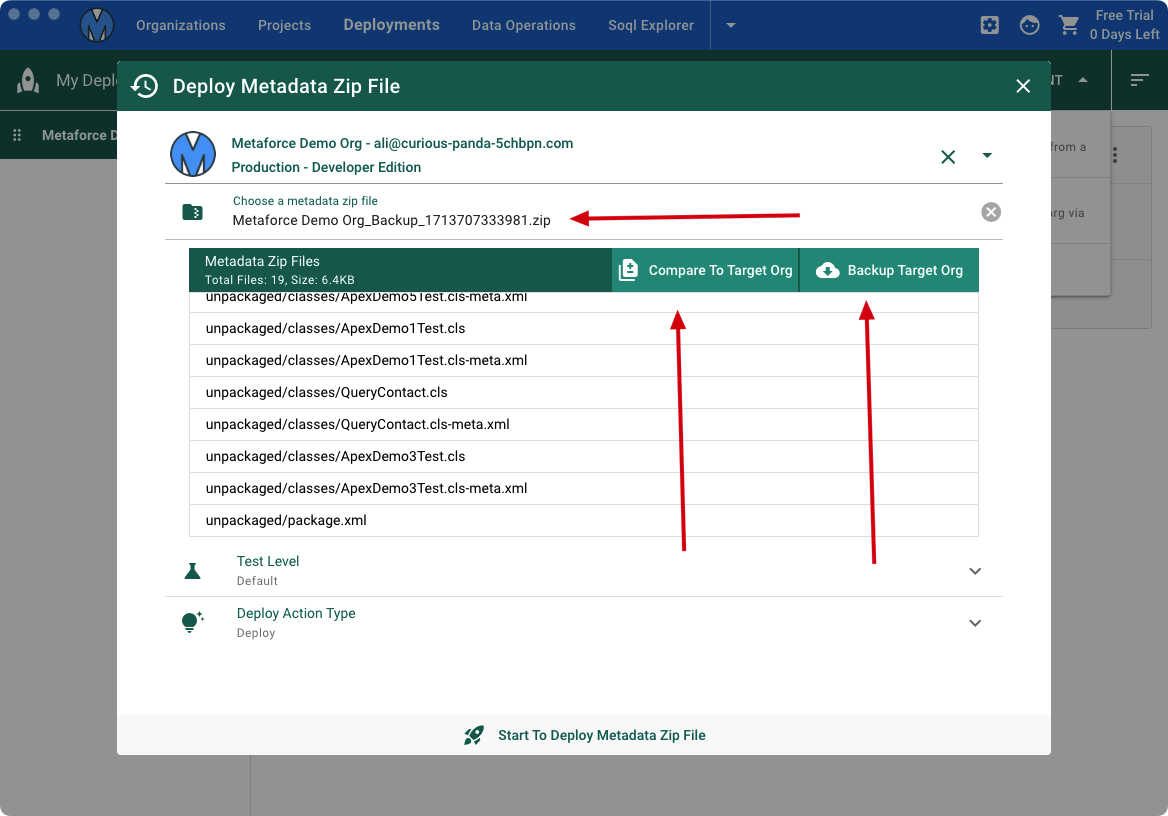
2. Deploy Metadata Zip File
Upload any valid Salesforce metadata .zip package:
- Preview Zip Contents: Inspect packaged files and directories before initiating deployment.
- Compare to Target Org: Review exact diffs against the destination organization.
- Pre-Deploy Target Org Backup: One-click download of corresponding metadata from the target org before deployment, ensuring you have an immediate rollback archive.